What it is: a display that's genuinely yours
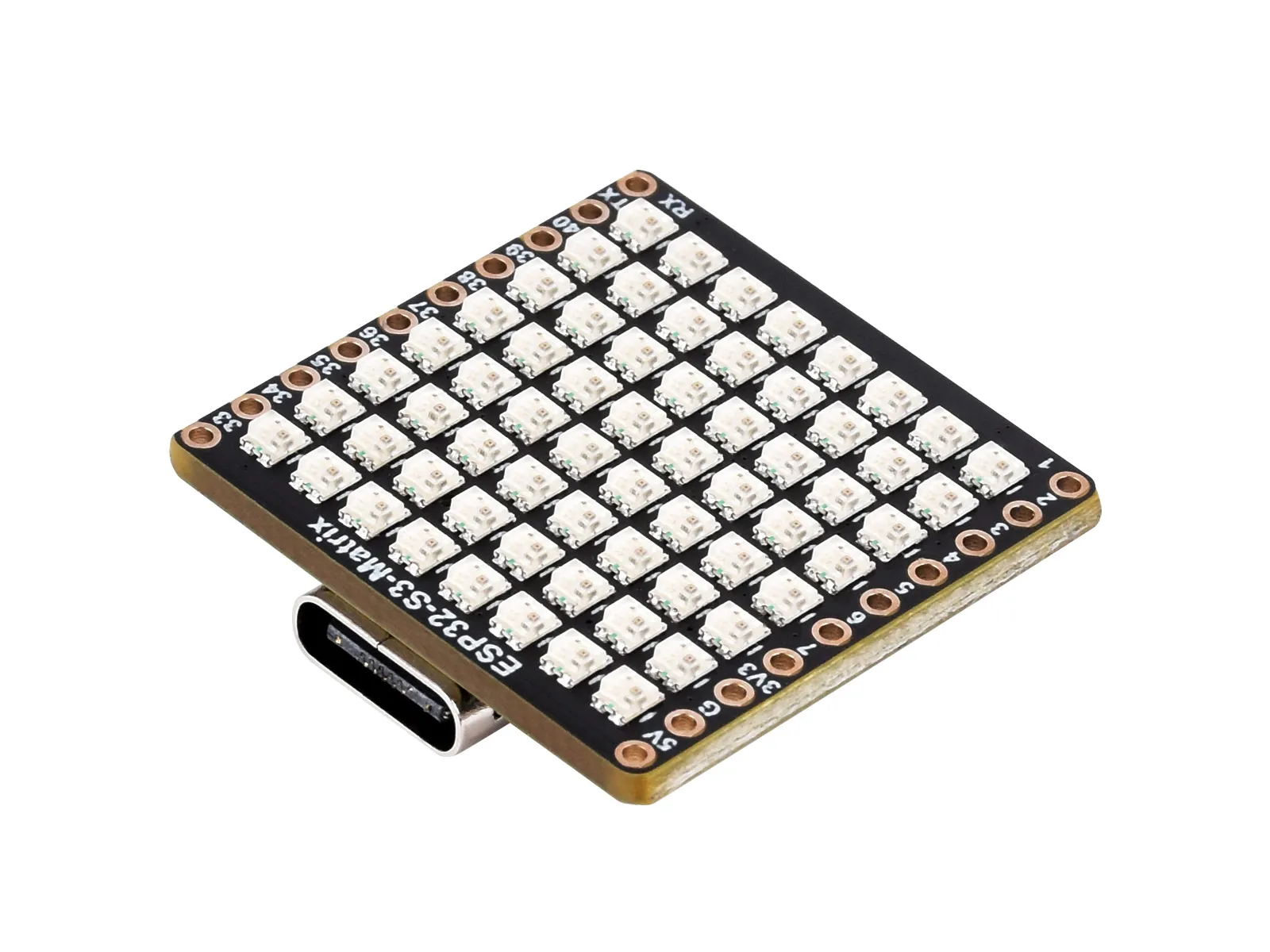
The whole idea in one line
A tiny standalone panel that runs the show by itself, and that any program can light up.
Most LED-matrix projects are tethered: a sketch on your laptop pushes pixels over USB, and the moment you unplug, it's dark. This firmware flips that. Everything the panel needs lives on the board: the animations, the web UI, the WiFi onboarding, the persistence. Power it over USB-C and it boots straight into whatever it was last showing. Open its address on your phone and you've got a full control panel. Point any HTTP client at it and you're driving pixels from any language.
See them move: real frames, captured from the panel
A few of the good ones, running.
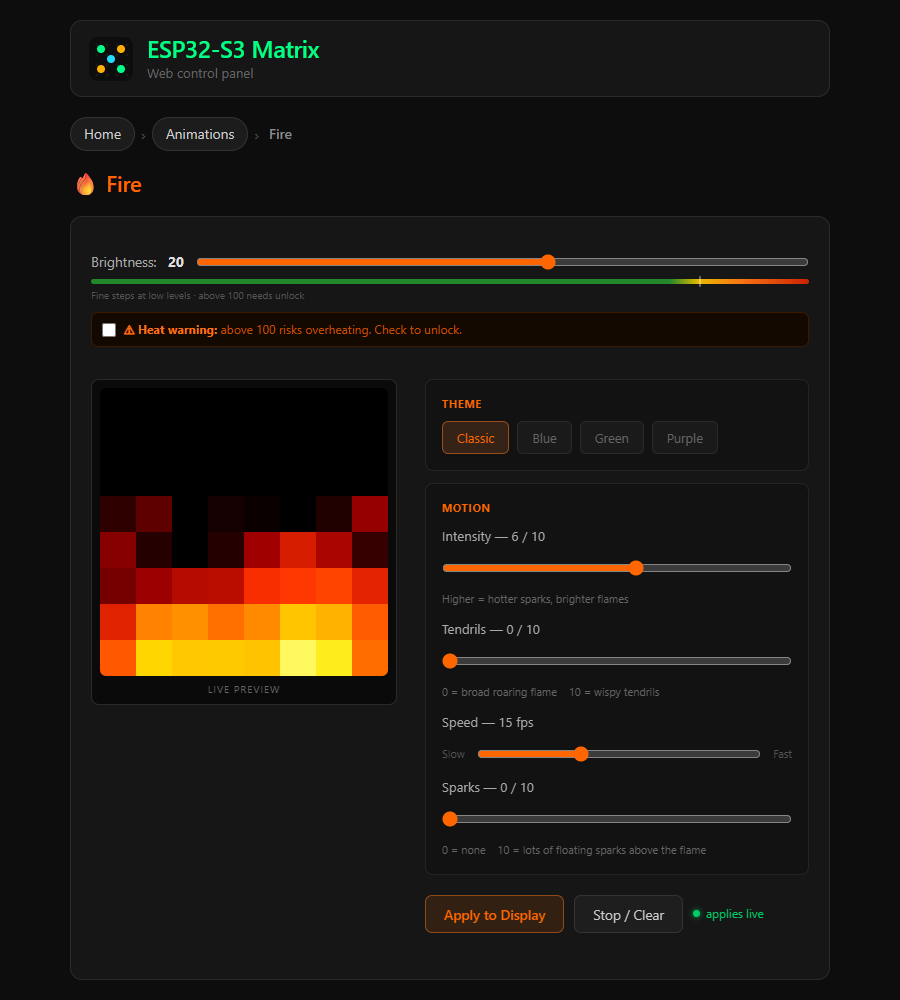
These aren't mockups or re-implementations: each card replays an actual frame sequence pulled straight off the board over /api/display/framebuffer, bloom-rendered the way the LEDs read in person. Every effect is tunable live from its own control page.
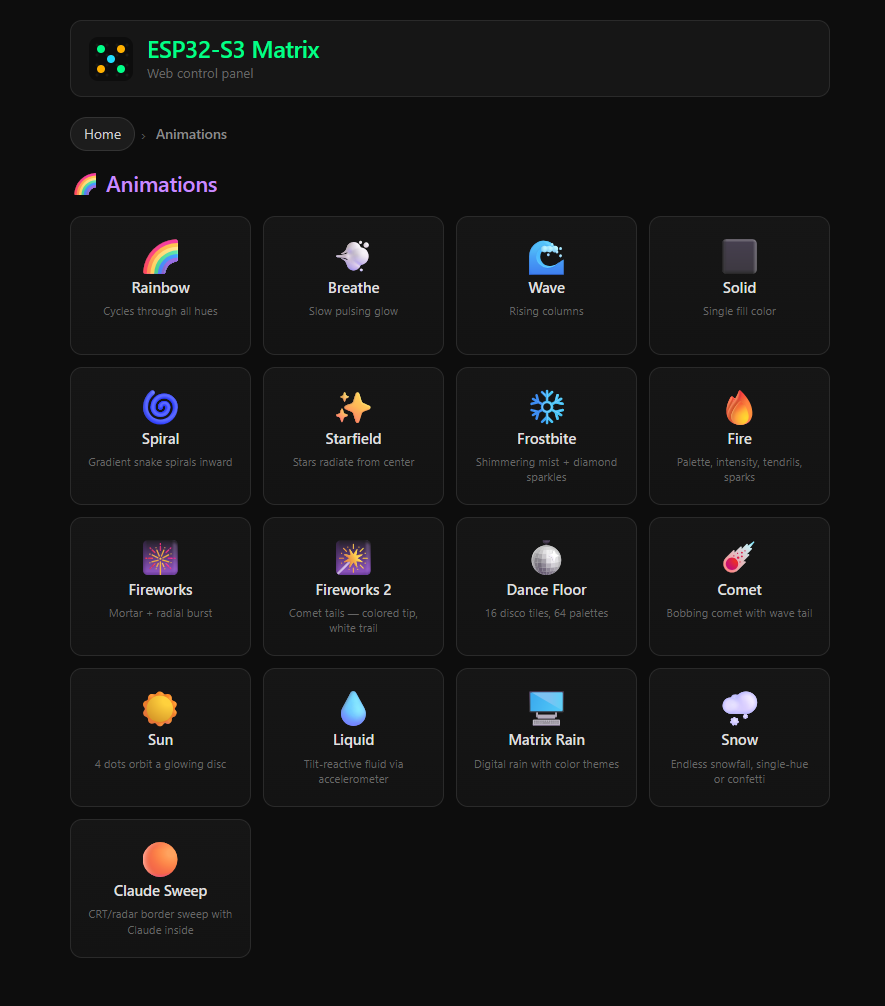
// 9 of ~20 built-in animations · captured at the board's raw pre-brightness colors · fire · matrix_rain · fireworks · dancefloor · rainbow · frostbite · claudesweep · clock · spiral
The onboard web UI: no install, served from the device
What you get the moment it's on WiFi
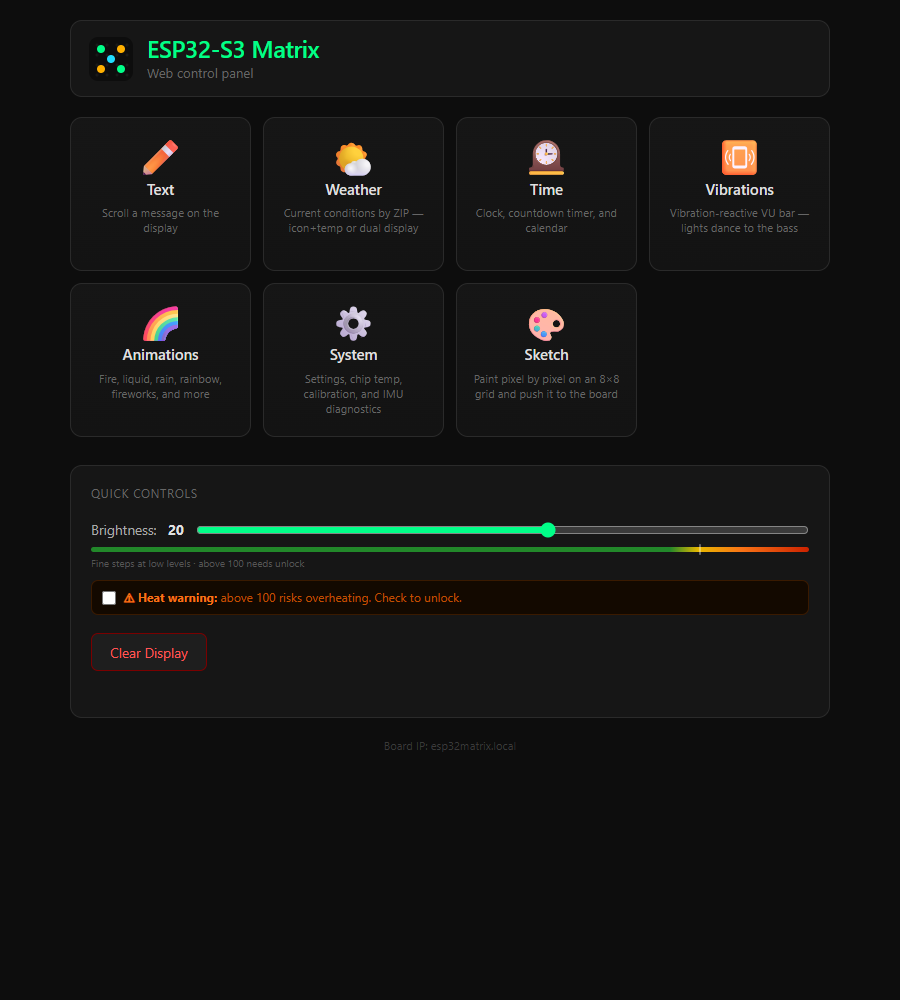
Open esp32matrix.local on any phone and the board hands you a control panel.
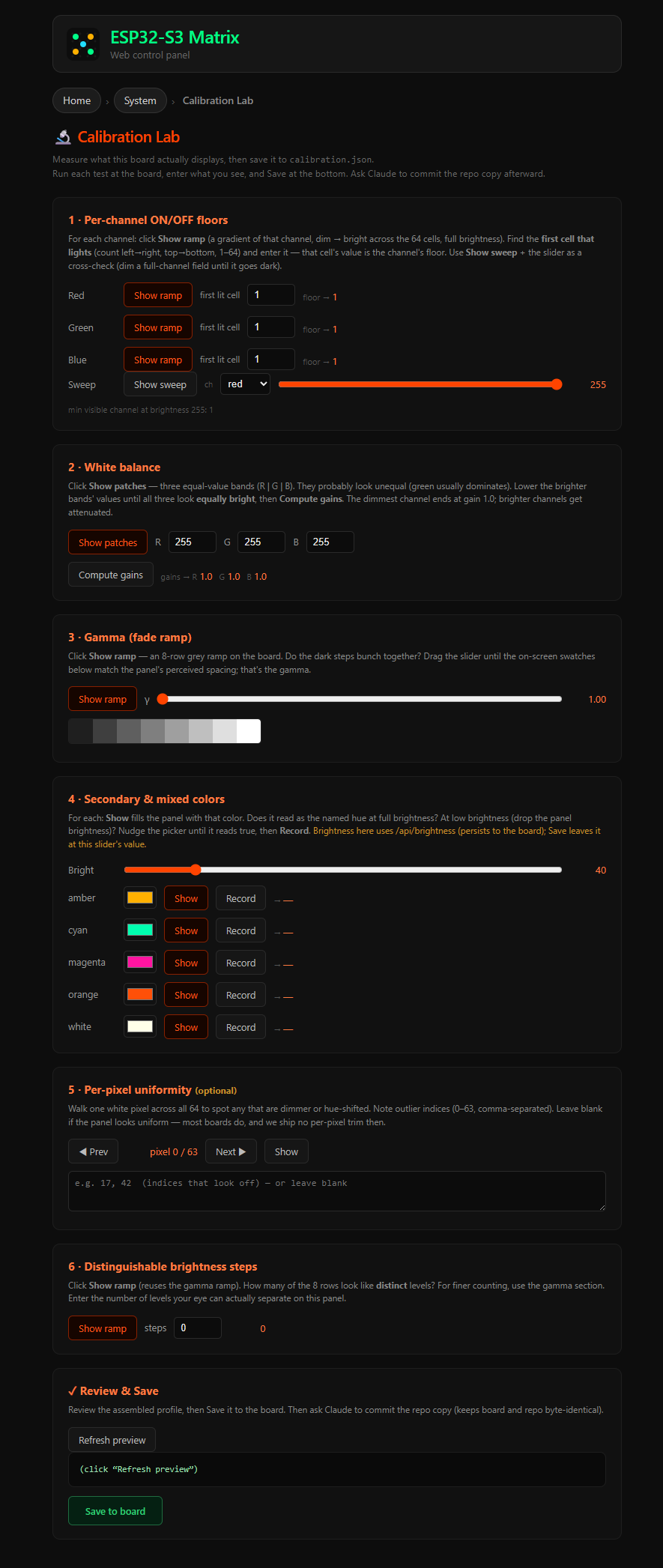
The UI ships inside the firmware (LittleFS) and is served with no cache, so there's nothing to install and nothing to keep in sync. These are live screenshots of the real board:
The HTTP API: the contract anything can drive
One surface, every capability
If it can make an HTTP request, it can drive the panel.
There's no SDK to adopt and no protocol to learn. The board's entire feature set is a small set of JSON endpoints under http://esp32matrix.local. This is also the documented contract that external clients (including the Claude integration) depend on, so it stays stable.
Launch a built-in animation. The transient flag keeps it out of boot-resume:
# roar some fire, classic theme
curl -X POST http://esp32matrix.local/api/display/animation \
  -H "Content-Type: application/json" \
  -d '{"type":"fire","transient":true,"intensity":6,"theme":"classic"}'
Push your own animation, up to 24 frames, each 64 RRGGBB pixels in row-major order:
# loop:0 = forever
curl -X POST http://esp32matrix.local/api/display/frames \
  -d '{"frames":["…384 hex chars…","…"],"frame_ms":150,"loop":0}'
The rest of the surface
| Method | Endpoint | What it does |
|---|---|---|
| GET | /api/status | Firmware/web version + live heap telemetry; use it for reachability checks. |
| POST | /api/brightness | { level: 0-255 }. Global brightness (persisted to flash). |
| POST | /api/display/text | Scroll a message, with color / gradient options. |
| POST | /api/display/matrix | Set a single static 8×8 frame. |
| GET | /api/display/framebuffer | Read the live 8×8 back as 64 RRGGBB. Mirror it anywhere. |
| GET/POST | /api/presence | A semantic status message (intent + headline + data) any renderer can show. |
| GET/POST | /api/settings | NVS-backed config: idle screensaver, default brightness, timezone… |
| GET/POST | /api/calibration | Read / overwrite the LED correction profile, live-reloaded, no reflash. |
Full reference: docs/API.md. The board persists its last animation, brightness, and settings, so it powers back up into whatever it was doing.
How it actually renders: from a pixel to a lit LED
The part most 8×8 projects get subtly wrong
The grid is plain row-major, not serpentine.
Plenty of LED matrices zig-zag their wiring, so even rows run left-to-right and odd rows run right-to-left. This panel does not. The mapping is the boring, predictable one: XY(x, y) = y * 8 + x, origin top-left, x increasing right, y increasing down. Out-of-bounds returns -1. Getting this assumption right is the difference between a clean image and a mirrored mess on every other row.
The coordinate system. Always draw through setPixel(x, y, CRGB). It's bounds-checked, so an off-grid write is a safe no-op instead of memory you didn't mean to touch.
One more twist: the color order is RGB, not GRB
WS2812B strips almost always expect green-first (GRB). This panel is wired so FastLED's COLOR_ORDER is plain RGB, meaning CRGB(r, g, b) maps straight through. It's a small thing that costs an afternoon if you assume the default.
| Hardware fact | Value |
|---|---|
| LEDs | 64 × WS2812B, data on pin 14 |
| COLOR_ORDER | RGB ⚠ not the usual GRB |
| XY(x,y) | y · 8 + x. Row-major, origin top-left, OOB returns -1 |
| IMU | QMI8658C 6-axis · I²C SDA 11 / SCL 12 |
| Flash / PSRAM | 4 MB flash + 2 MB PSRAM · web UI in LittleFS |
Calibration without a reflash: the matrixShow() chokepoint
Real LEDs lie. The panel's green runs hot and dim content gets crushed. Rather than bake corrections into every animation, the firmware applies one global per-pixel transform at the single point every frame passes through on its way to the hardware: matrixShow(). It saves the frame, corrects in place, pushes it, then restores the originals, so animation code keeps working on clean leds[] values and never knows calibration happened.
One transform, one place. Calibration is a save → correct-in-place → restore wrapper around the hardware push, so it's always-on, never double-applied, and tunable live from the calibration lab without a firmware rebuild.
Drive it with Claude: the panel as an expression channel
What an open HTTP API unlocks
Because the whole board is just an API, it becomes an ambient status light for AI coding sessions.
A separate, public companion project (Claude Expression Studio) turns the panel into Claude's expression channel: a spinner while it works, a checkmark when it's done, a glyph when it's waiting on you. It does this purely by POSTing to the same endpoints documented above. No shared code, no firmware coupling. Just the contract.
- Renderer-agnostic. The board is one optional renderer; the Studio runs fully board-free too, simulating everything in the browser.
- A browser studio to design, preview, and wire ~40 animations to moments in a coding session.
- Couples only over this API. Point it at esp32matrix.local and the same expressions light up real LEDs.
Publish its own telemetry: the board as a sensor node
The same board, pushing data out
Part 05 was software driving the panel. This is the panel driving a pipeline.
Flip one switch on the settings page and the board publishes its own sensor readings to any MQTT broker on your LAN: chip temperature and the IMU's accelerometer, retained, every few seconds, no PC in the loop. It's off by default; with no broker configured, the firmware behaves exactly as if the feature didn't exist. Setup is all in the web UI: broker address (a numeric LAN IP), port, publish frequency.
- Honest telemetry. celsius is the ESP32's own silicon temperature, not the room's. The board has no ambient sensor, and the labels never pretend otherwise.
- A built-in liveness story. On connect the board publishes a retained {"online":true} birth message and deposits a last will with the broker. If the board drops off without a goodbye (power cut, WiFi loss), the broker itself publishes the retained {"online":false} after ~45 seconds of keepalive silence. Consumers learn the board died without ever polling it.
- Status lives off the data topics. The birth/will topic sits outside the plantfloor/matrix/# wildcard on purpose, so a subscriber storing readings never ingests a status message as if it were data.
| Topic | Payload · all retained, QoS 0 |
|---|---|
| plantfloor/matrix/temperature | {"celsius":<n>,"ts":"<ISO8601 UTC>"} |
| plantfloor/matrix/accelerometer | {"ax":<n>,"ay":<n>,"az":<n>,"ts":"<ISO8601 UTC>"} |
| plantfloor/status/matrix | {"online":true|false} · birth on connect, last will on a drop |
This isn't hypothetical: the publisher feeds a real, working industrial-style pipeline. A companion project (peckworks-plantfloor) runs a Mosquitto broker, a C#/.NET historian that stores every reading, and an OPC UA server that re-exposes the live values to industrial clients, all fed by this firmware publishing for itself. Its site tells the consuming side of the same story, including the dead-man's-switch demo: unplug the board, and an Online node flips to false in a real OPC UA client with nobody polling anything.
Flash one yourself: a ~$15 board and one binary
From zero to a glowing panel
Three steps, no toolchain required.
- Get the board.
The Waveshare ESP32-S3-Matrix, an 8×8 WS2812B grid on a USB-C ESP32-S3. On Amazon ↗
- Flash one binary.
One-click flash in Chrome/Edge, or grab the offline installer (merged
.bin+flash.bat/flash.sh). It's a single merged image (app + web UI), so there's nothing to assemble. - Join WiFi.
Connect to the
ESP32-Matrix-Setuphotspot, pick your network, then openesp32matrix.local. From here you're back at Part 02, the onboard control panel.
Want to build from source instead? The firmware is plain Arduino (.ino). See the repo's README for the Arduino IDE setup and library list.